Case study
AI Zombie Couple Example: Two Portraits, One 15-Second Story
See the two input portraits and a real Human & Zombie test video, with a shot-by-shot breakdown of the cabin reunion and happy memory.
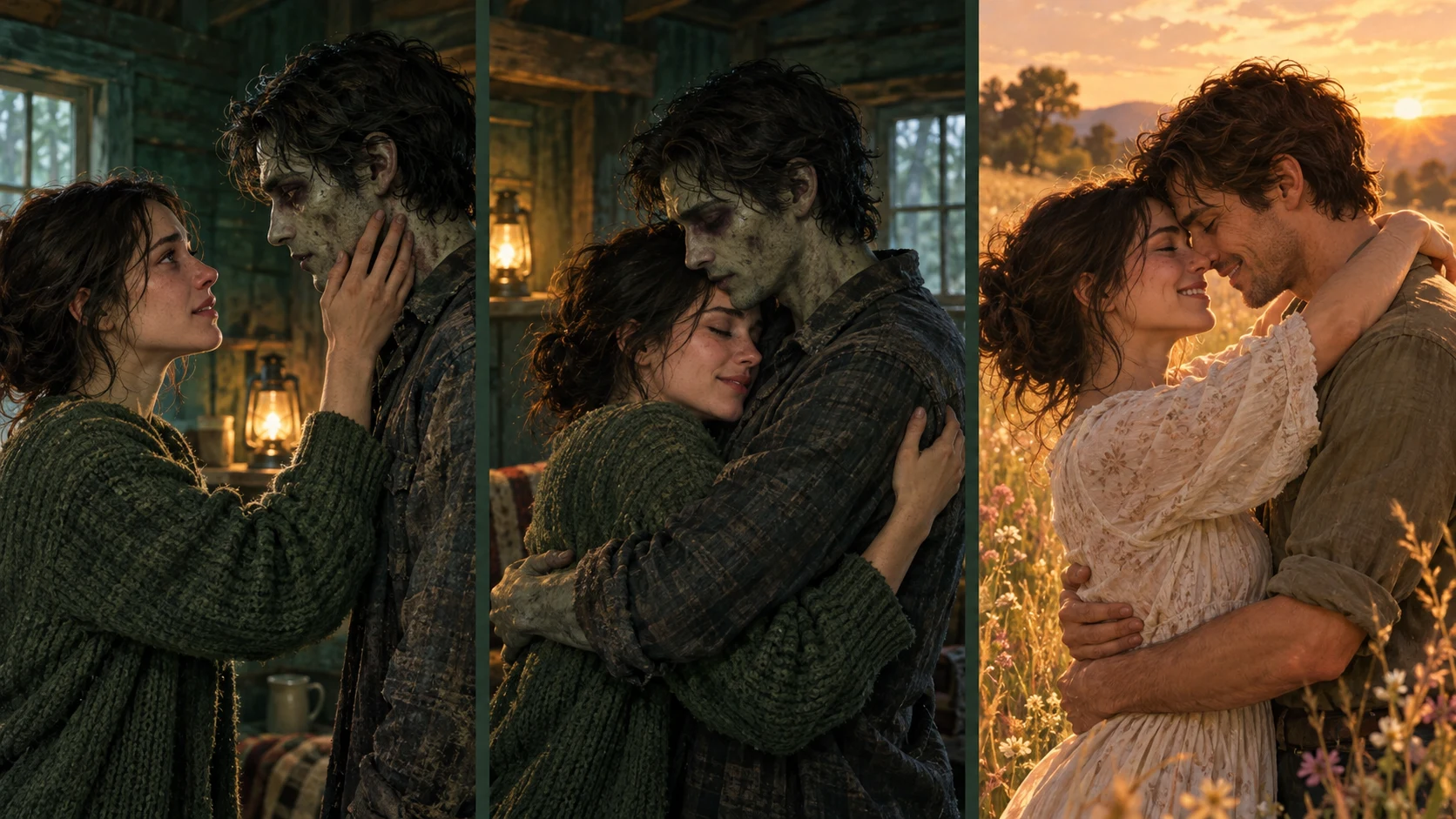
What happens when two ordinary portraits become a zombie love story? This example follows one real Human & Zombie generation test, from the input photos to the cabin reunion and the closing happy memory.
The video comes from a direct API test on October 16, 2026, using two portrait references and the Human & Zombie story prompt, with no reference video. It uses the portrait-based approach now used for Human & Zombie. The photos and clip below belong to that same test; the result is a single example, not a guarantee of how every generation will look.
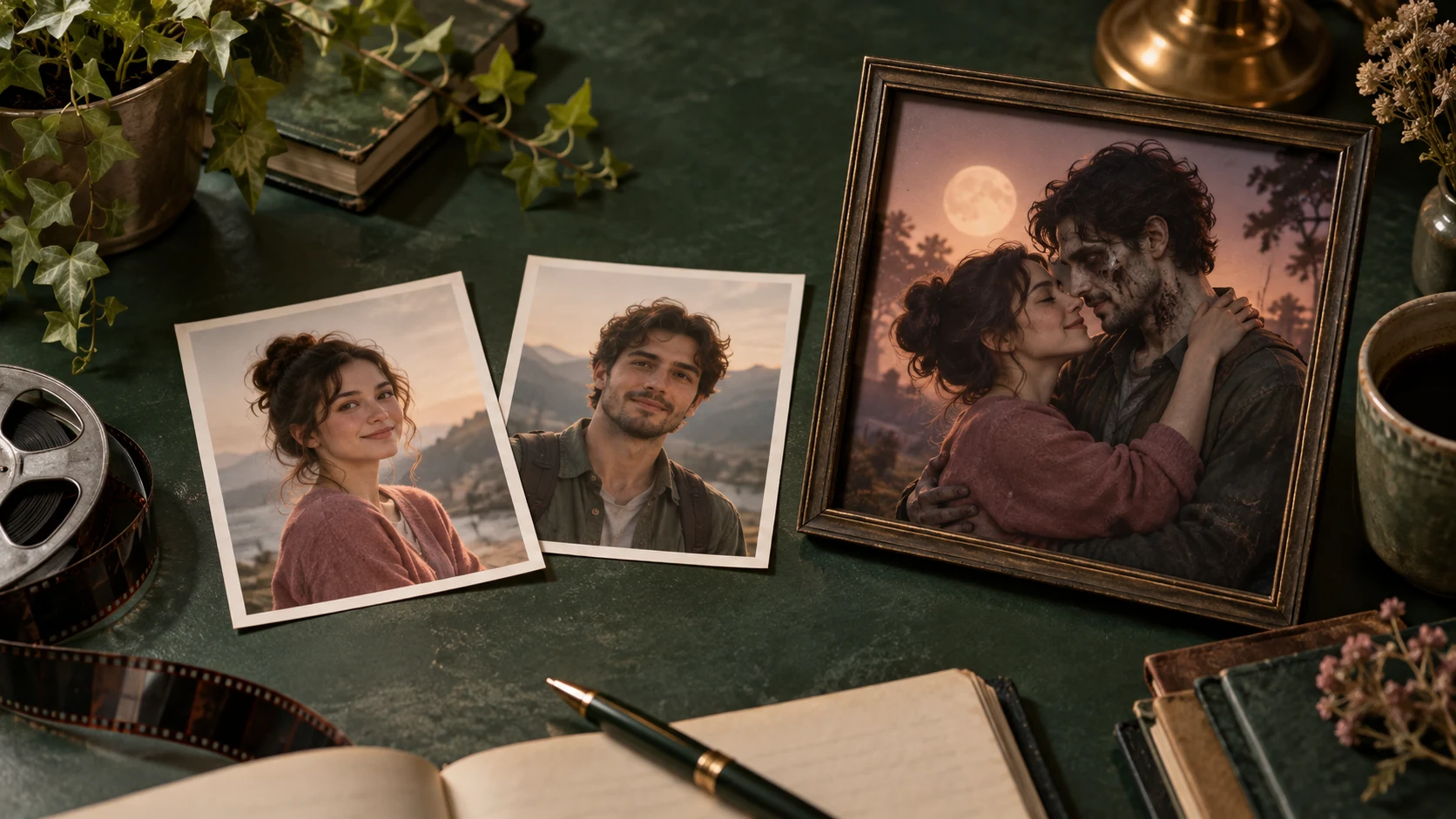
The two photos behind the video
| Portrait A — Human partner | Portrait B — Zombie partner |
|---|---|
 |  |
Portrait A supplied the human survivor's identity. Portrait B supplied the partner who appears as a zombie in the cabin and as a healthy human in the memory.
The inputs are separate portraits with different backgrounds. Neither contains the cabin or the golden field, and neither person is wearing zombie makeup. Those elements were generated for the story.
Notice the white T-shirt in portrait A and the light blue shirt in portrait B. In the cabin, the woman gains a light outer layer and the male zombie partner is shirtless, with pronounced gray skin and dark markings. In the memory, both have healthy skin and different outfits. This is useful context when choosing your own photos: identity references do not guarantee that clothing and styling will stay the same as in the original pictures.
Watch the finished example
The actual test output, shown at its original pace. It contains a tense opening with a raised gun, followed by the gun being set aside and the couple embracing. The inspected sequence contains no shooting or graphic injury.
| Setting | This test |
|---|---|
| Story | Human & Zombie / Embrace & memory |
| Identity inputs | Two portraits |
| Reference video | None |
| Model | Seedance 2.0 Fast |
| Requested duration | 15 seconds |
| Format | 9:16, 480p setting |
| Delivered file | About 15.1 seconds, 496 × 864 pixels |
The 480p label is the selected quality setting. The delivered file's dimensions and duration are listed separately so you can see what this particular test actually returned.
The story, moment by moment
The time ranges below are approximate observations from this clip, rather than fixed timings promised by the generator.
1. Recognition in the cabin — roughly 0–5 seconds
The opening alternates between the human partner holding a raised gun and the changed partner standing inside the cabin. Cold light and the enclosed wooden setting establish the present-day scene. The man's pale, marked face makes the zombie role visible.
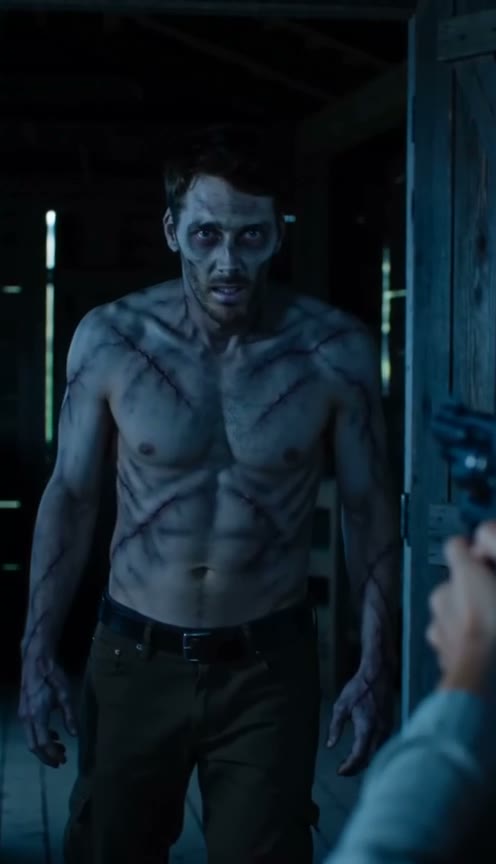
Frame from approximately 2 seconds. Compare the zombie partner's face with portrait B above.
What matters here is the assignment of roles: portrait A remains the human, and portrait B carries the zombie styling. In the inspected frames, the roles do not appear to switch.
2. Choosing to move closer — roughly 5–8 seconds
A closer view holds on the human partner's distressed expression. The gun is then set down, clearing the way for the embrace. This small action marks the change from fear to recognition before either person reaches for the other.
When reviewing your own result, look at how hands release an object or move into the next gesture. A convincing face can still be accompanied by an awkward hand movement.
3. The embrace — roughly 8–11 seconds
The couple move together and hug inside the cabin. The zombie appearance remains on the male partner during this part of the scene, while the human partner keeps natural skin tones.
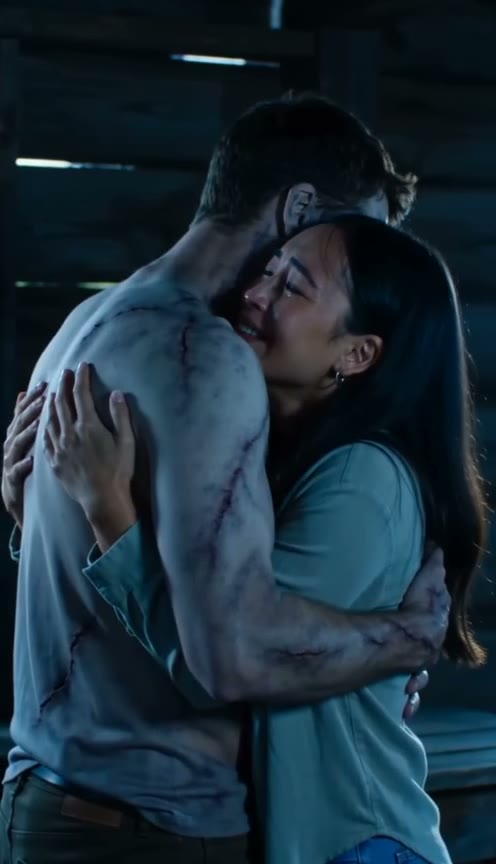
Frame from approximately 10 seconds. The embrace connects the present-day scene to the memory that follows.
The scene is readable because it stays with the same two people and one central action. Watch for separate bodies, plausible arms and consistent character placement as the camera changes.
4. The happy memory — roughly 11–15 seconds
The cabin gives way to a golden field. Both partners now look human, and the hug continues in warm light. The change in appearance and setting makes the ending feel like an earlier moment in their life together.
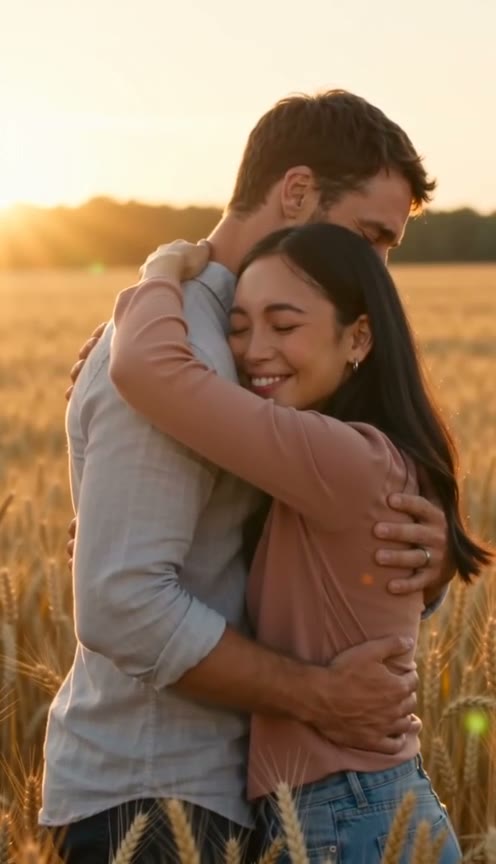
Frame from approximately 14 seconds. Check both identities again after the setting changes.
There is a visible difference between the requested story and this output: the prompt called for a direct cut around nine seconds, while the result moves into the memory with a dissolve around eleven seconds. The broad story is present, but its transition is not exact.
What this example tells you about your own result
Use the example to judge the kind of story you want, then review the details of your own generation. These four checks are more useful than expecting the same clip with different faces:
- Roles: Is the intended person human or zombie in the cabin?
- Identity: Do both people remain recognizable after close-ups and the memory transition?
- Movement: Do hands, arms and the embrace remain plausible?
- Ending: Does the memory show the same couple with both looking human?
This test used one portrait pair and one set of settings. Its successful story beats do not establish a success rate for other photos, and facial likeness is not exact. It also does not show the outcome of Zombie Lovers, where both people should remain zombies throughout.
Try the same story direction
Choose Human & Zombie → Embrace & memory, place each portrait in the intended role, and select 15 seconds and 9:16 for a similar story format. This example used the 480p setting; that setting currently costs 90 credits for 15 seconds. At 720p, a 15-second video costs 150 credits. Review the live quote before generating.
You do not need to upload a cabin picture, a field picture or this video. Your two portraits and the selected story provide the starting point. Keep Personal touch simple, or leave it empty for the built-in direction.
Make your own Human & Zombie story.
For the full upload and download workflow, follow the photo-to-video tutorial. To compare this ending with a dance, garden date or rainy walk, read the story-style guide.